
For individuals
Personal Online Banking
Access your accounts through It's Me 247 to review activity, make transfers, manage cards, and explore eligible digital services.
Log In to Personal Banking
We provide links to third party websites, independent from Thinkwise CU . These links are provided only as a convenience. We do not manage the content of those sites. The privacy and security policies of external websites will differ from those of Thinkwise CU . Click "CONTINUE" to proceed or click the "RETURN TO SITE" to stay on this site.
Routing Number: 322282616
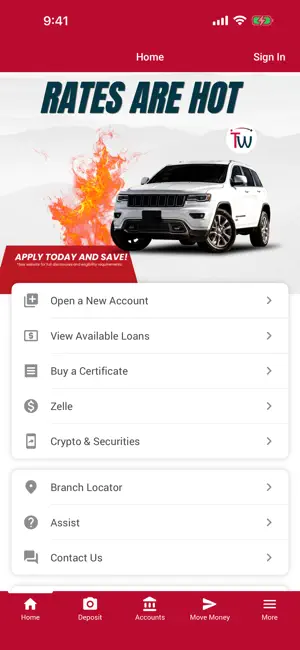
Bank wherever life takes you. From checking balances and paying bills to depositing checks and managing cards, Thinkwise Credit Union helps keep your finances within reach.


Whether you're managing your personal finances or keeping a business moving, get started with the right secure online banking experience.
Access your accounts through It's Me 247 to review activity, make transfers, manage cards, and explore eligible digital services.
Use BizLink 247 for your organization's banking needs, including account access, transactions, and business services your organization is approved to use.
Need help with access? Call (877) 882-2911 or contact Member Services.
Download the official Thinkwise Credit Union app for your account type. Mobile check deposit and other available services help you bank from almost anywhere.


Remote Deposit Capture (RDC): Use your phone's camera to submit front and back images of eligible checks at any time and track their status. Thinkwise currently processes mobile deposits up to four times daily, seven days a week, and supports eligible loan-payment deposits. Holds, cutoffs, and other restrictions may apply.
Our online and mobile banking tools make everyday financial tasks easier, with secure access whether you're at home or on the go.
See balances, review transaction activity, and keep tabs on your Thinkwise accounts.
Move funds between eligible accounts and access external account transfers when available.
Add payees, plan one-time or recurring payments, and view your payment activity.
Access card controls and alerts in the app, including the ability to turn eligible cards on or off.
Go paperless and choose account notifications to stay informed about your money.
Submit eligible check deposits using your phone's camera instead of making a trip to a branch.
Take action when it works for you, with digital card tools, transfers, bill payments, and more.
Go to Manage My Cards in the Thinkwise mobile app for eligible card-management options.
Move money between eligible Thinkwise accounts and use additional digital transfer and bill-pay services when enrolled or approved.
Check eligible balances and use convenient text-banking commands from your phone. To enroll, sign in to Online & Mobile Banking, then open More → Text Banking and follow the setup prompts.
Thinkwise CU IM247 Text Banking · Enroll before using these commands.
BALView balances for all eligible accounts.BAL BIZView balances for up to three savings or checking accounts under the nickname “BIZ.”BAL 010View the balance for account suffix “010.”BAL BIZ 010View a balance using a membership nickname and account suffix.STOPTurn off Text Banking for all enrolled memberships.STOP BIZTurn off Text Banking for the membership nicknamed “BIZ.”TRANS MYCODE 100.00Transfer $100 between subaccounts using a preconfigured shortcut code.TRANS MAIN MYCODE 100.00Use the same transfer shortcut for the membership nicknamed “MAIN.”HELPReceive the credit union's member-service phone number.“BIZ,” “MAIN,” “010,” and “MYCODE” are examples; use your own configured nicknames, account suffixes, and transfer shortcuts. Standard text-message and data rates may apply.
New to mobile banking or returning to your account? Here's the quickest way to get going.
Open the appropriate personal or business banking experience using your existing credentials or the provider's enrollment options.
Install the official Thinkwise mobile banking app for your account type from the Apple App Store or Google Play.
Find eligible tools within banking menus and settings. Some features require enrollment, activation, or approval.
Get more from your Thinkwise membership with digital tools, convenient access, and a team ready to help whenever you have questions.
For account-access assistance, contact Member Services. Please do not send confidential account or login details in ordinary email.